What CommIT TMS does
The system covers the path from a requirement to a report: case repository, review, test plans, runs, roles and analytics.
From a requirement to a report
Cases, plans, runs and reports live in one place, so release status no longer has to be collected from chats and spreadsheets.
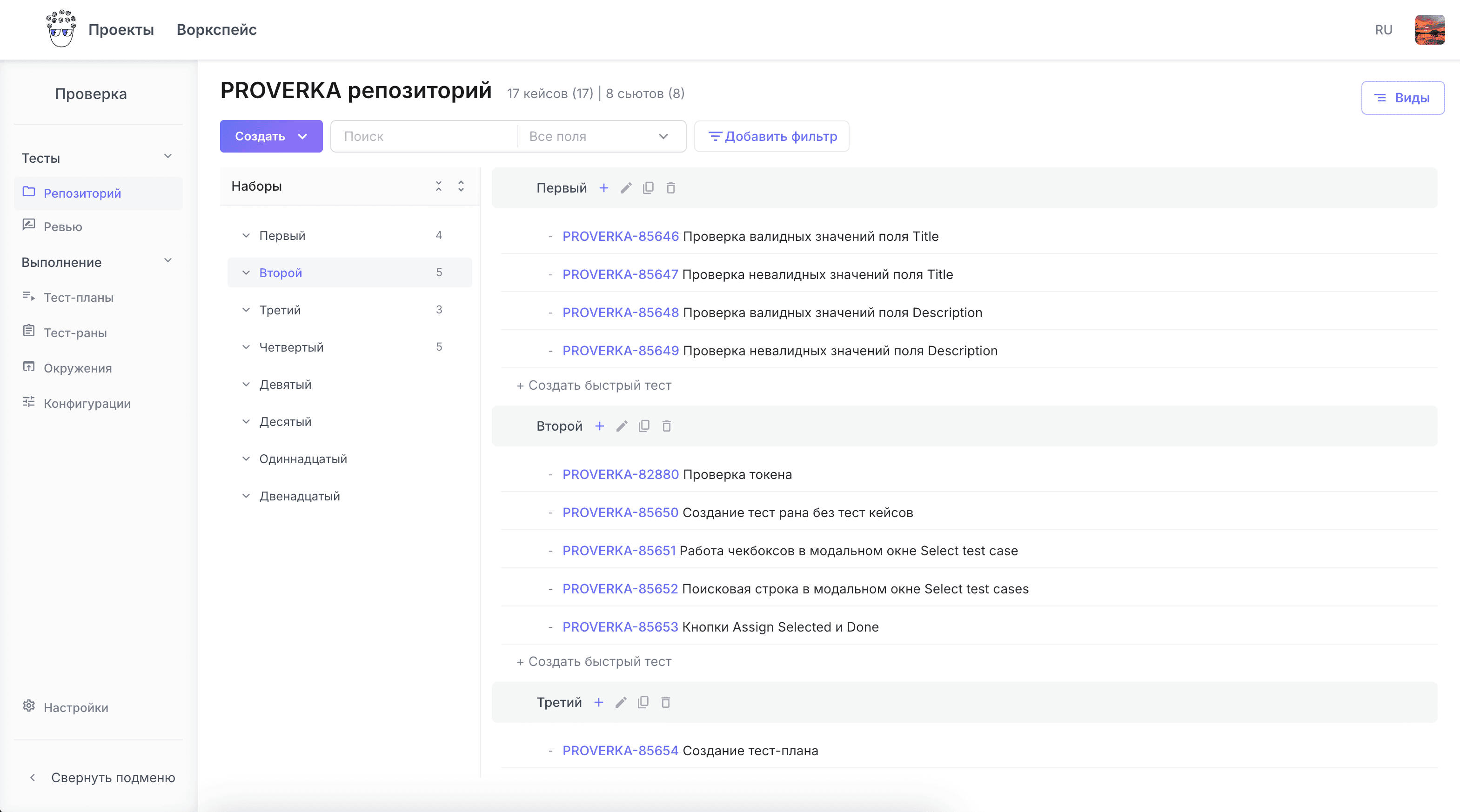
- A case repository with suite hierarchy, steps and preconditions
- Review and sign-off before the first run
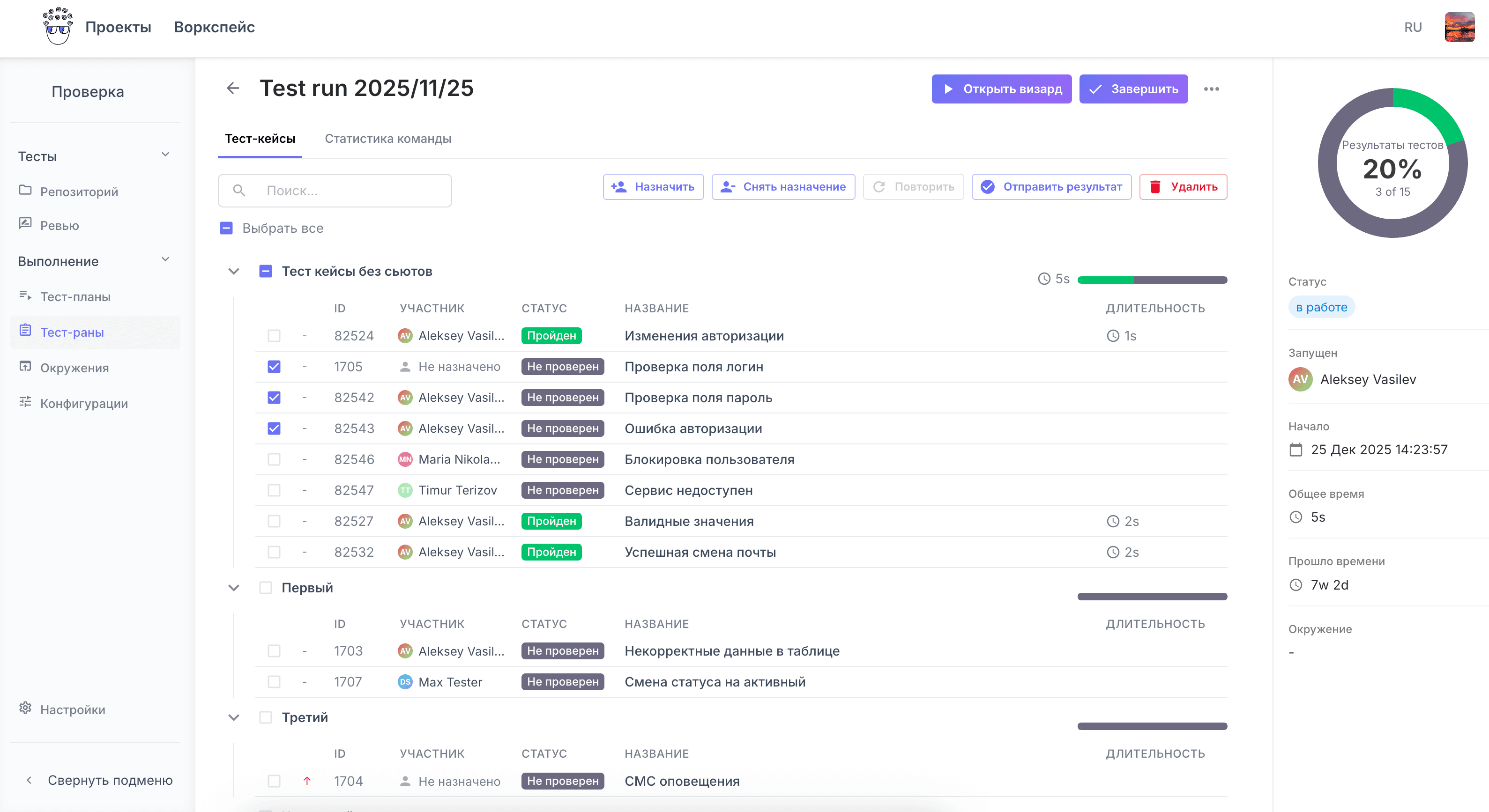
- Test plans, runs, environments and launch configurations
- Dashboards, reports and a public link to a report
Product areas
- Test casesRepository, suite hierarchy, steps and preconditions, review and sign-off.
- Test plans and runsA plan collects the cases, a run records the result. Environments, configurations, releases.
- AI generationA task description goes in, structured cases come out. The edits stay with you.
- IntegrationsGitLab CI, job status webhooks, an open API with tokens, import and export.
- Analytics and reportsDashboards, widgets, the run report and a public link to it with no sign-in.
- Roles and accessRoles and permissions, isolated organisations, team invitations by link.
What holds it together
A shared layer sits under the modules: organisations, access, attachment storage and an open API.
- Organisations are isolated from one another at the data level
- Attachments to results are kept in S3 or MinIO
- Sign-in through SSO Keycloak, team invitations by link
- An open API and access tokens for your own scenarios
- Run updates reach the interface immediately, with no page reload
See it on your own process
Create a project, move part of your case base over and walk through one full run. That is usually enough to tell whether the system fits.